Style Transfer - Transform Images with Any Artistic Look
styletransferartistic
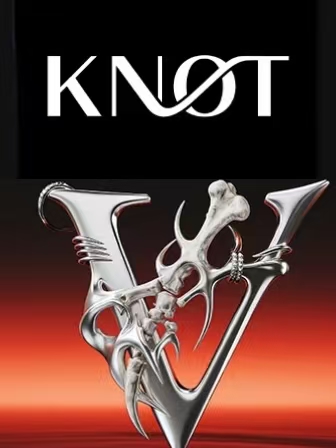

Prompt
Replace the material of the "KNOT" LOGO in the first picture with the metallic texture from the second picture, while retaining the shape of the "KNOT" text.
Created: 9/16/2025, 12:00:00 AM
Understanding the KNOT Logo Transformation
This prompt shows advanced material replacement - keeping the 'KNOT' text shape while changing its material to metallic texture. The key phrase 'retaining the shape' tells Seedream 4.0 to preserve the logo's recognizability while completely transforming its surface properties. This is perfect for brand evolution.
Why Two-Image Material Transfer Works
The prompt specifically mentions 'first picture' and 'second picture' - this dual-reference approach lets our free ai image editor understand both the source (KNOT logo) and the desired effect (metallic texture). This precision prevents the AI from guessing what kind of metallic look you want.
Metallic Texture Applications
Metallic textures suggest premium, luxury, and durability. This KNOT logo transformation could work for jewelry brands, luxury goods, or tech companies wanting to convey sophistication. The prompt structure works with any texture - wood, marble, fabric, glass - just replace the reference image.
Shape Preservation Techniques
The critical instruction 'retaining the shape' prevents style transfer from distorting your logo beyond recognition. This balance between transformation and preservation is what makes professional brand updates possible - you get visual refresh without losing brand equity.
Adapting for Your Logo Materials
Replace 'KNOT' with your logo, swap the metallic texture reference for any material you want. The formula works: [Apply material from Image 2 to logo in Image 1, keeping shape]. Perfect for testing logo variations, seasonal themes, or premium product lines.