Explore Seedream 4.0
Transform ideas into professional visuals with ByteDance's unified AI image generation and editing platform.
How to use Seedream 4.0?
Simple steps to harness Seedream 4.0's advanced multi-modal capabilities for professional visual content creation.
Recently Updated
Back to Prompts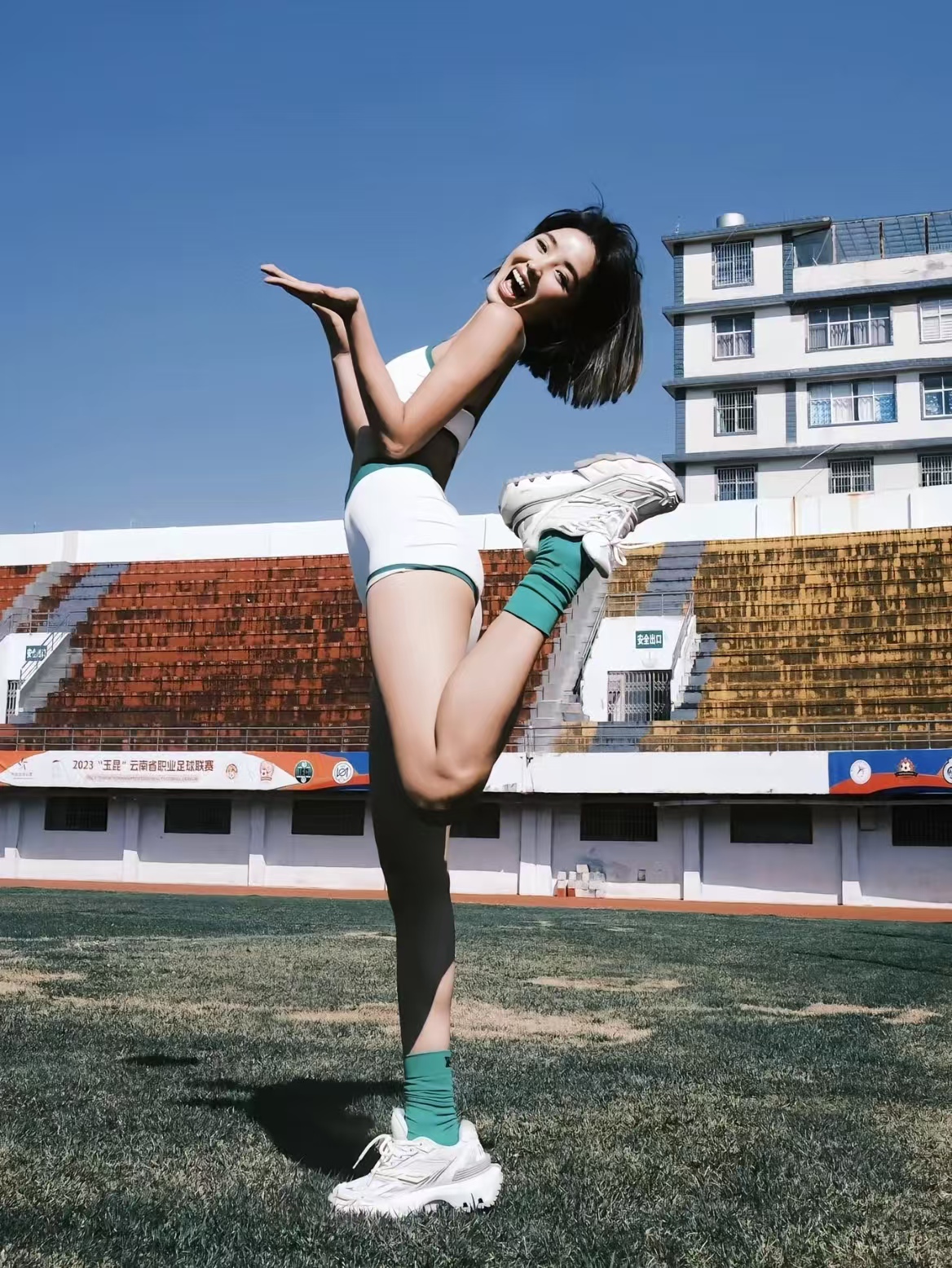
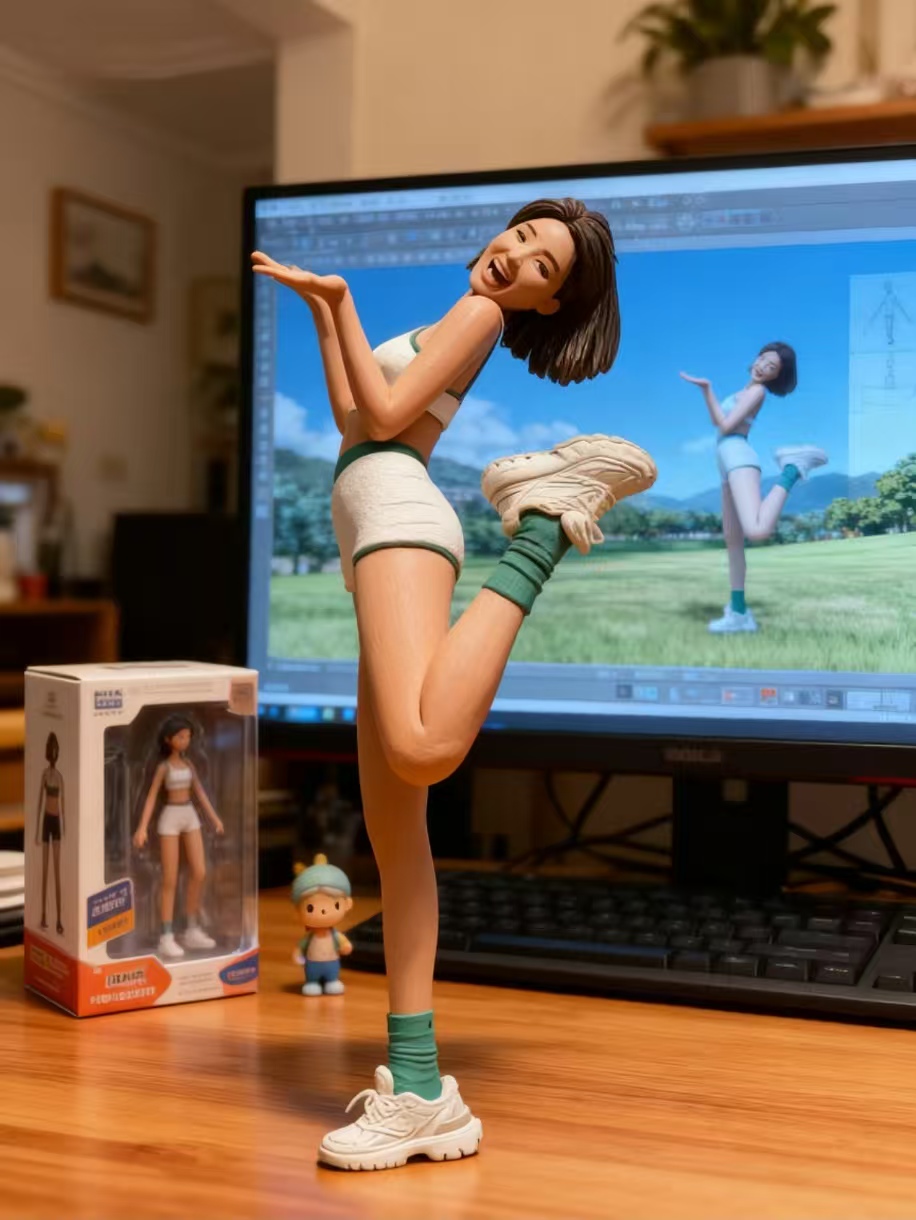
Miniature Figurine Scene - 3D Modeling Desktop Environment
Transform the characters in the image into miniature figurines with an emphasis on detail and vibrancy. The background should be a home setting featuring the figurine packaging box and a computer desk scene. In the background, the computer should display a 3D modeling software interface showcasing the corresponding figurine and the design drafts of the scenery. Request hyper-realistic, detail-rich image generation prompts that highlight the figurine's shape, color, and texture, while restoring the desktop atmosphere with small decorative items and a wooden table.


Giant Figurine Effect - Transform Characters into Collectible Figures
Change the characters into giant figurines, pose them squatting, and take the photo from a very low angled upward perspective. Additionally, add an original character next to it for a group photo, ensuring all characters have consistent clothing, hairstyles, props, etc.
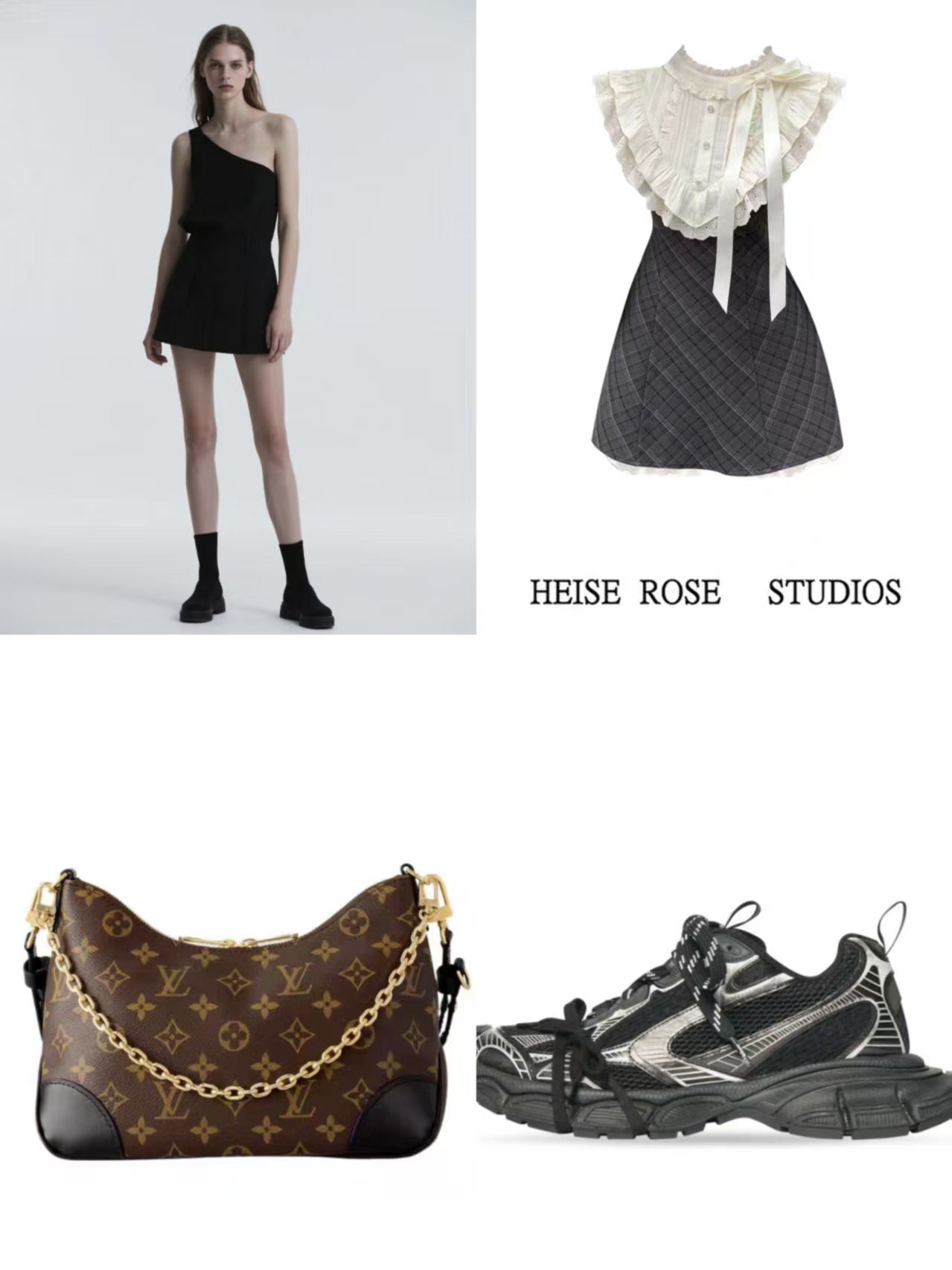
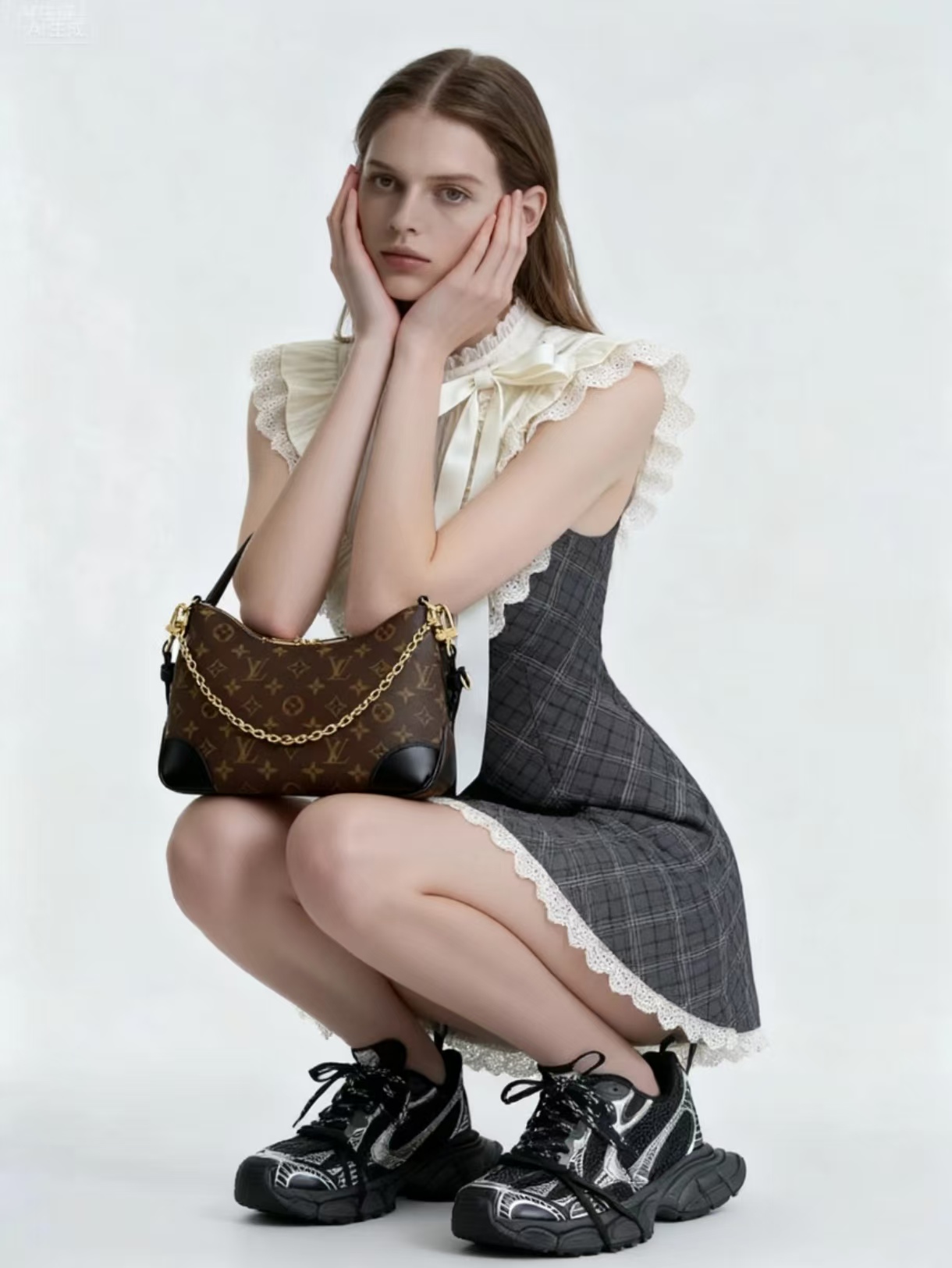
Virtual Fashion Try-On - See Complete Outfits Before You Buy
Put the skirt from Picture 2, the bag from Picture 3, and the shoes from Picture 4 on the model in Picture 1 naturally, and have the model strike a cute pose.
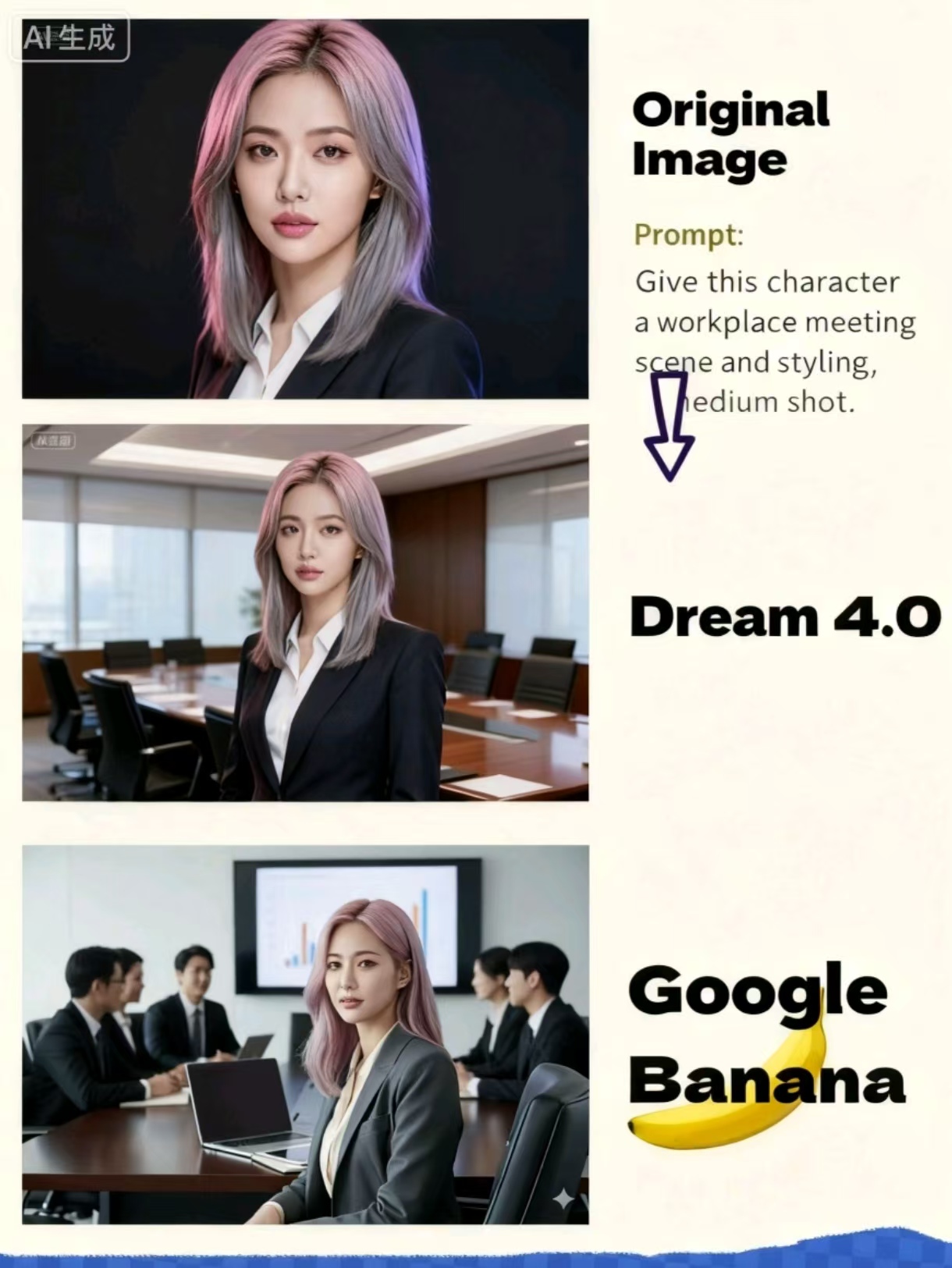
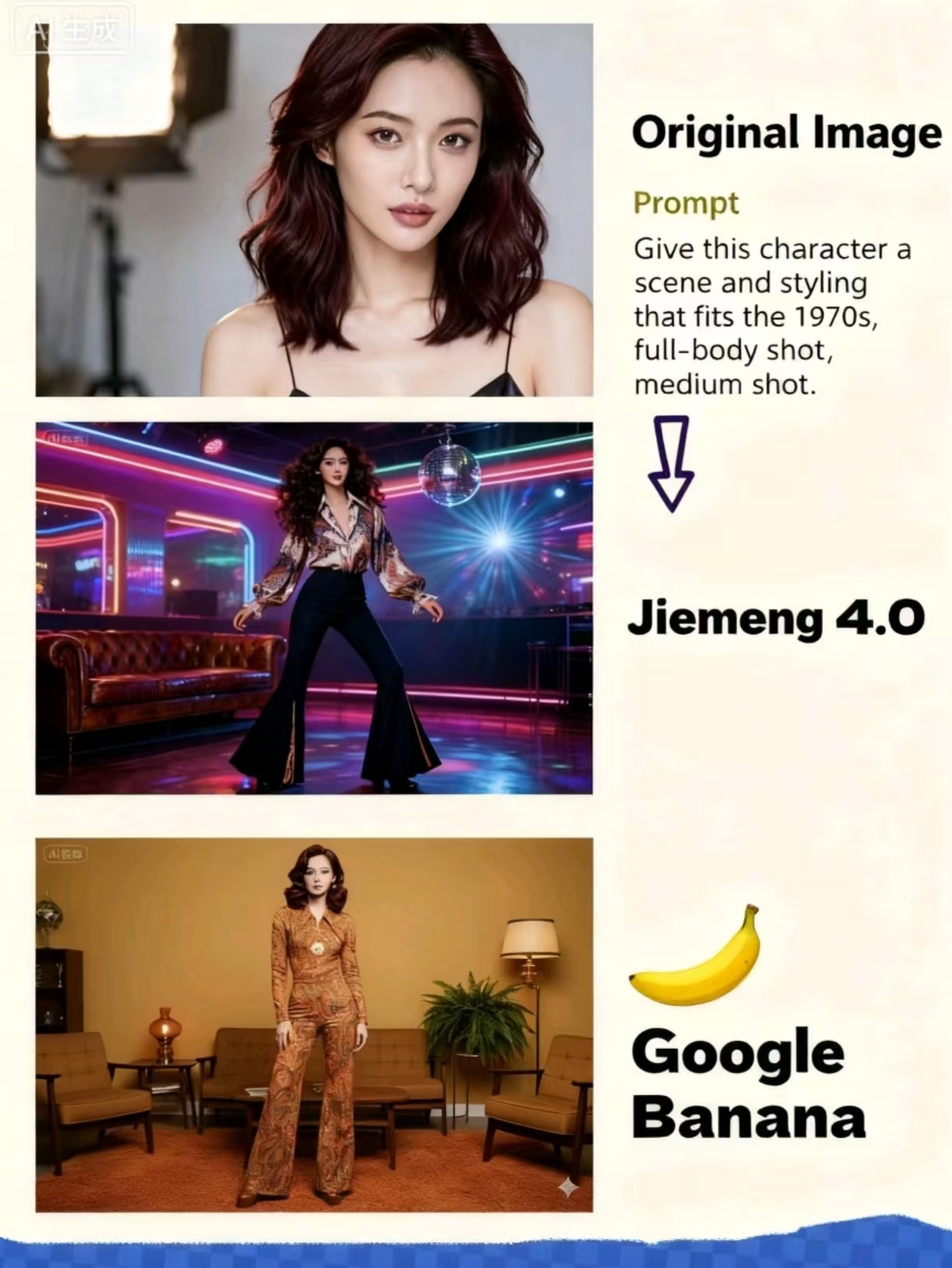
Seedream 4.0 vs Nanobanana - Workplace Meeting vs 1970s Retro
Prompt A: Give this character a workplace meeting scene and styling, medium shot. Prompt B: Give this character a scene and styling that fits the 1970s, full-body shot, medium shot.
Explore All Features
Professional AI image creation with complex scene understanding and multi-modal capabilities.
Unified Generation & Editing
Create professional images from natural language descriptions with Seedream 4.0's unified architecture. Advanced scene comprehension and artistic style transformation in one platform.
Multi-Reference Processing
Upload up to 6 reference images to guide style, composition, and visual consistency. Natural language editing lets you describe changes in plain English for precise modifications.
Parallel Batch Editing
Apply consistent edits and styles to multiple images in parallel. Ideal for product lines and campaigns.
Detail Consistency
Maintain stable reproduction of micro details across images and iterations: skin texture, fabric fibers, metal highlights, glass refraction—fewer revisions.
Style Transformation
Switch and blend artistic styles—from Van Gogh brushwork to cinematic lighting—balancing control with aesthetics.
Commercial-Grade Quality
Design-quality images with sophisticated aesthetics and attention to detail. Full commercial rights for business use across all industries.
Core Multi-Modal Capabilities
Advanced image creation technology with complex scene understanding and professional workflows.
Why Choose Seedream 4.0
ByteDance's Seedream 4.0 delivers superior performance across all metrics with advanced multi-modal capabilities and unified architecture.
Simple, Transparent Pricing
Choose the perfect plan for your creative needs with Seedream 4.0's advanced capabilities.
Starter
Perfect for exploring Seedream 4.0
- ✓daily free credits
- ✓2K resolution
- ✓Basic generation
- ✓Community access
Professional
Perfect for creators and businesses
- ✓4K generation
- ✓Up to 6 reference images
- ✓Advanced editing
- ✓Commercial license
- ✓Priority support
Studio
For teams and enterprises
- ✓Unlimited 4K generation
- ✓Advanced multi-modal features
- ✓Team collaboration
- ✓Dedicated account manager
- ✓Full commercial rights